Authentication
The QA Sphere API uses API keys for authentication. Each request to the API must include a valid API key that is associated with your account. You can manage your API keys through the QA Sphere web application settings.
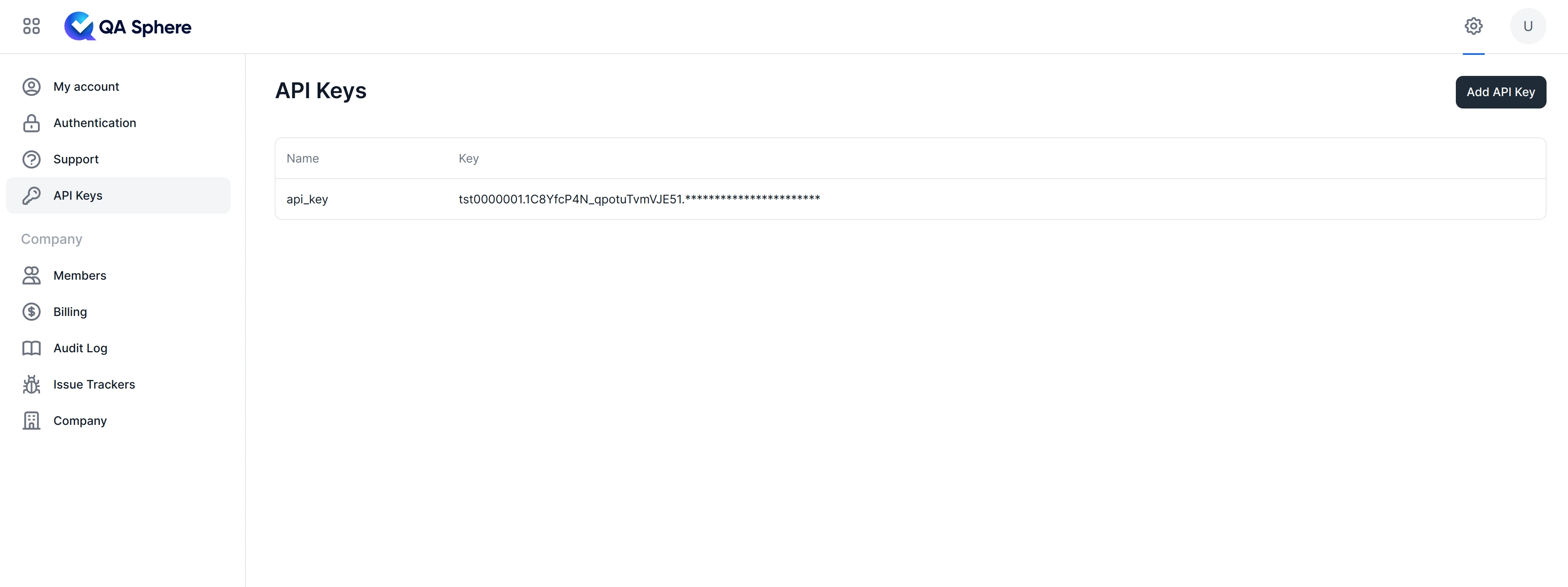
Creating an API Key
- Log into your QA Sphere account
- Navigate to Settings
- Select the API Keys section
- Click "Add API Key"
- Save your API key securely - you won't be able to see it again
Restricted API Keys
API keys can be restricted to specific endpoints based on their name prefix. This follows the security principle of least-privilege access.
| Name Prefix | Allowed Endpoints | Use Case |
|---|---|---|
SIEM-LOG-ONLY | GET /api/public/v0/audit-logs | SIEM audit log integrations |
For example, naming an API key SIEM-LOG-ONLY-splunk restricts it to only access the audit logs endpoint. Any attempt to access other endpoints will return 403 Forbidden.
Using Your API Key
Request Headers
To authenticate your requests, send the API key in the Authorization header using the Bearer scheme:
curl \
  -H "Authorization: Bearer your.api.key.here" \
  https://your-company.your-region-code.qasphere.com/api/public/v0/project/BD/run/1/tcase
Earlier API keys were used with the Authorization: ApiKey your.api.key.here header. These are still supported for backward compatibility, but prefer the newer Bearer scheme for all integrations.
curl \
  -H "Authorization: ApiKey your.api.key.here" \
  https://your-company.your-region-code.qasphere.com/api/public/v0/project/BD/run/1/tcase
Never share your API key or commit it to version control. Use environment variables or secure secret management systems to store your API key.
Error Responses
| Status Code | Scenario | Description |
|---|---|---|
| 401 | Missing Authorization | No Authorization header in the request, or an unrecognized scheme |
| 401 | Invalid API Key Format | Malformed token |
| 401 | Invalid Credentials | The token was parsed but did not match any active API key, or the request host doesn't match tenant |
| 403 | Suspended Tenant or User | The tenant or the user that owns the API key is suspended |
| 403 | Network Access Denied | Request originated from an IP outside the tenant's allowlist (when configured) |
| 403 | Restricted Endpoint | An endpoint-restricted key (e.g. SIEM-LOG-ONLY-*) was used against a non-permitted endpoint |
Best Practices
DO
- Store API keys securely using environment variables or secret management systems
- Use different API keys for different environments (development, staging, production)
- Rotate API keys periodically
- Monitor API key usage for unusual patterns
- Include proper error handling for authentication failures
DON'T
- Share API keys between different applications
- Commit API keys to version control
- Use production API keys in development environments
- Embed API keys directly in client-side code
- Use a single API key across multiple services
Session Management
- API keys do not expire automatically
- The system tracks the last activity timestamp for each tenant
- Activity is updated when API calls are made (maximum once per 24 hours)
- Tenant suspension will invalidate all API keys for that tenant
Troubleshooting
If you're experiencing authentication issues:
-
Verify the API key and authorization scheme
Authorization: Bearer your.api.key.hereThe legacy
Authorization: ApiKey <key>scheme is also accepted (see Request Headers). -
Ensure your tenant account is not suspended
-
Verify you're using HTTPS for all API requests
-
Check the response headers for additional error information
If you need to regenerate an API key, you can do so from the QA Sphere web application settings. Remember to update all services using the old key.